
HOW TO USE GIFT COUPON
Beginner • Enrollment

How to Use a Coupon
Here you will find a detailed instructions on how to use a gift Coupon for the products on the Koronied Courses Website.
What You’ll Learn
- How to enroll into a course using Gift Coupon
- How to start Check out Process
- How to Redream the Coupon
- How to Place your Order and Start Learning
Step#1: Select the Course You Want to Enroll to
Click on the title of the course to open the Course page where you will start your enrollment process. Ensure that the Course corresponds to the Gift Coupon you have received.

Step#2: Start the Check-out Process
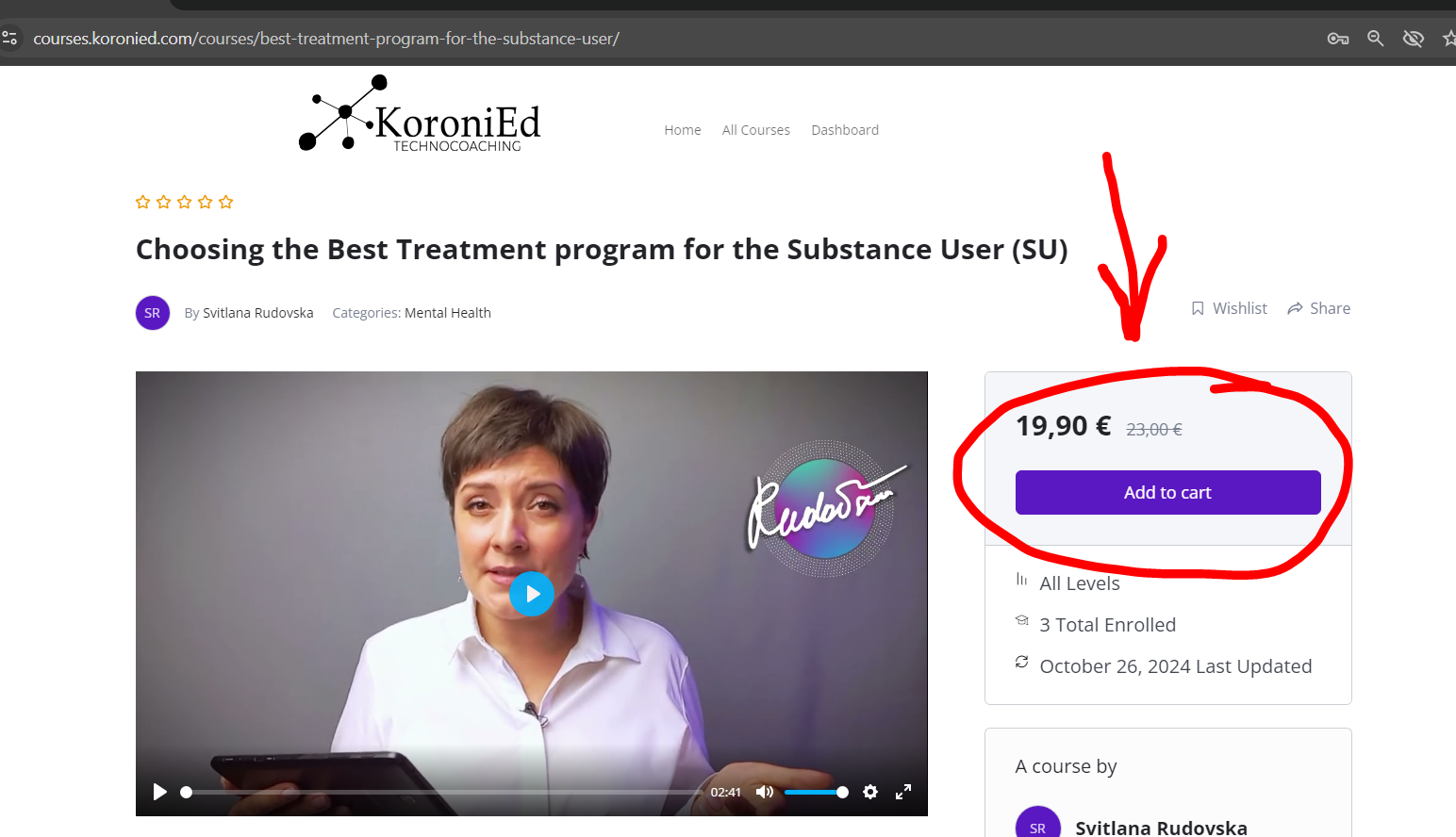
Click on “Add to cart” button to start your Check-out process. Note that the price you see on the course will be covered by the Gift Coupon during the Check-out process.
Step#3: Login or Create an Account if You Enroll for the First Time
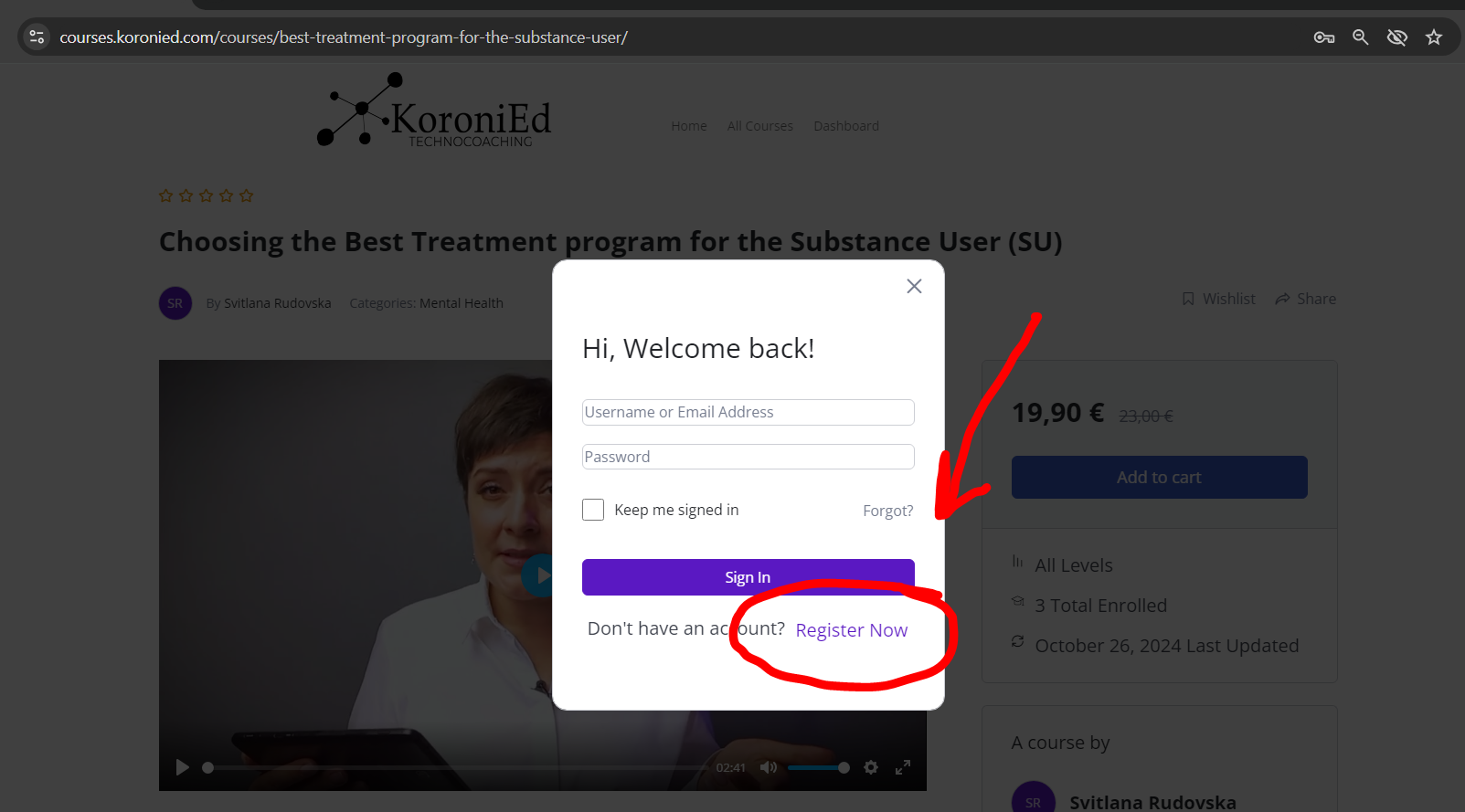
Use the Login form to login to your account if you have created one before. If you are enrolling for the first time you should create a new account. Click on “Register Now” to Start the registration process.
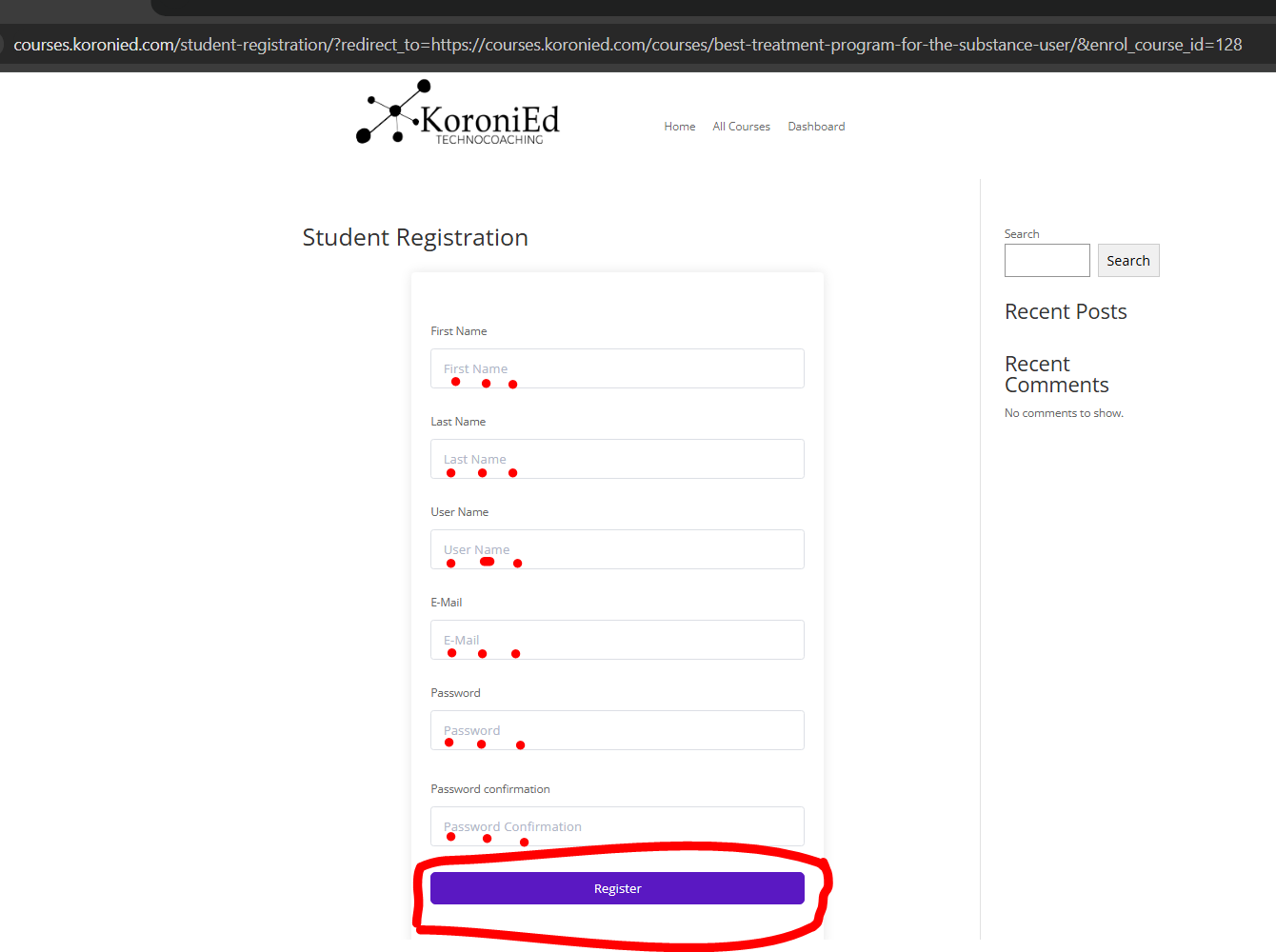
Fill in the Student Enrollment Form and click “Register”.
For your Username use the name that is easy to remember and it is available in the system (not taken by other users).
For your Password setup please use a minimum of 8 digits including:
- Large letters
- Small letters
- Numbers
- Special symbols like & *( )%$
Save your login and password.
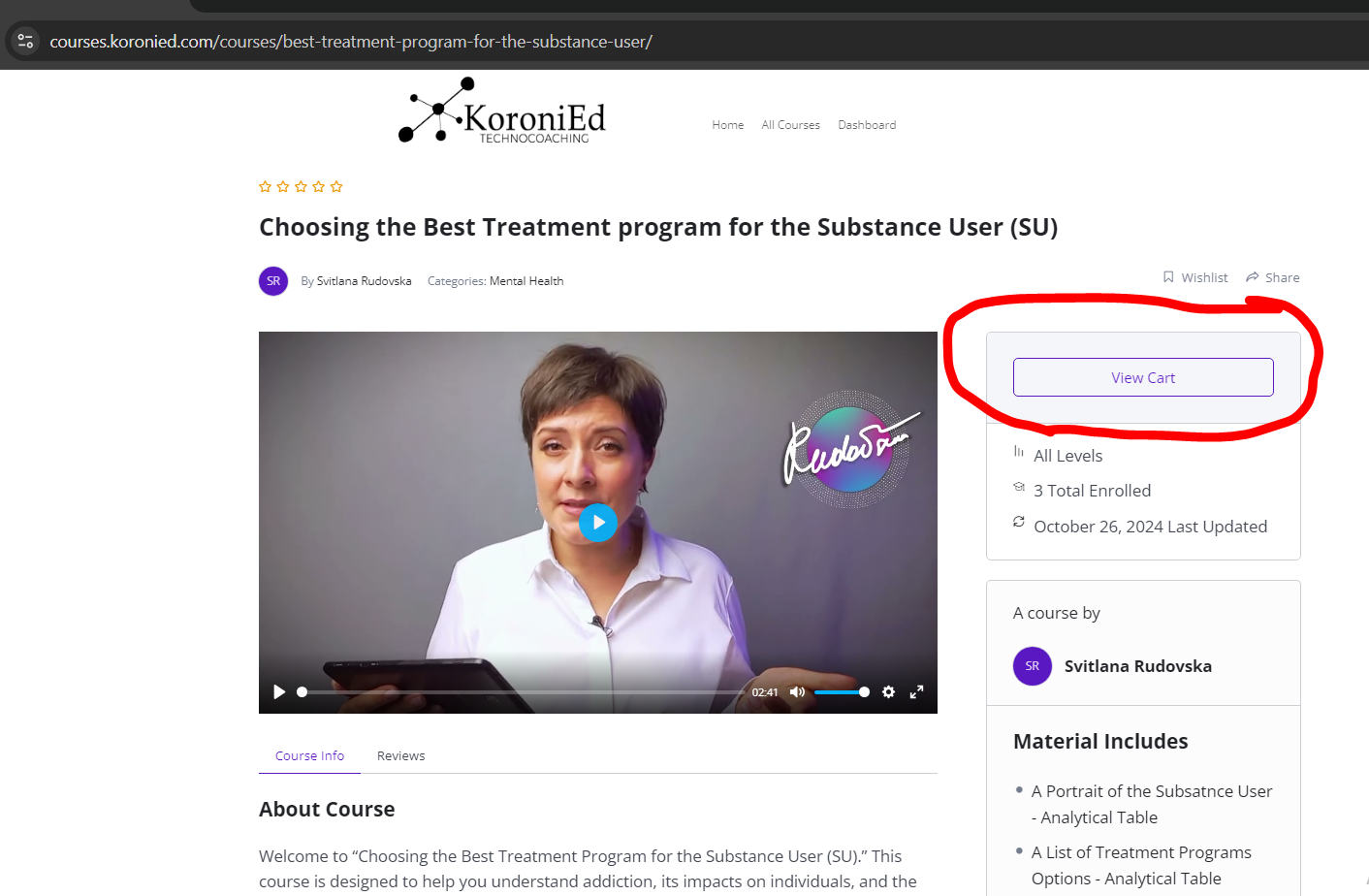
After the login or registration process you will be returned to the Course page where you can proceed with Enrollment.
Step#4: Proceed to Cart
Click on the “View Cart” to proceed to the Cart with your order.
Step#5: Add and Apply the Coupon
Check the quantity of the items, ensure you have 1 item in the cart and add the coupon you have been given.
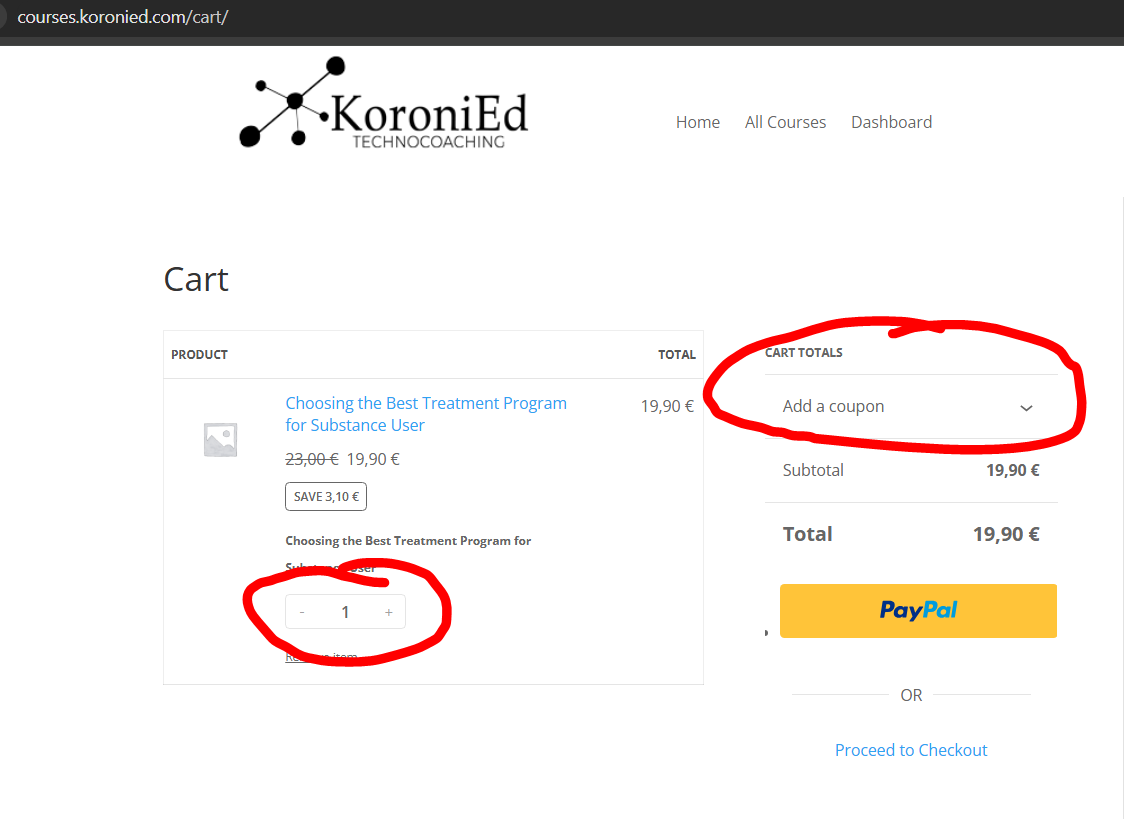
After entering the coupon code click on the “Apply” button.

You will see that the only option to proceed with the enrollment process will be to “Proceed to Checkout”.
Click on “Proceed to Checkout” button (link)

Step#6: Fill in the Form to Place the Order
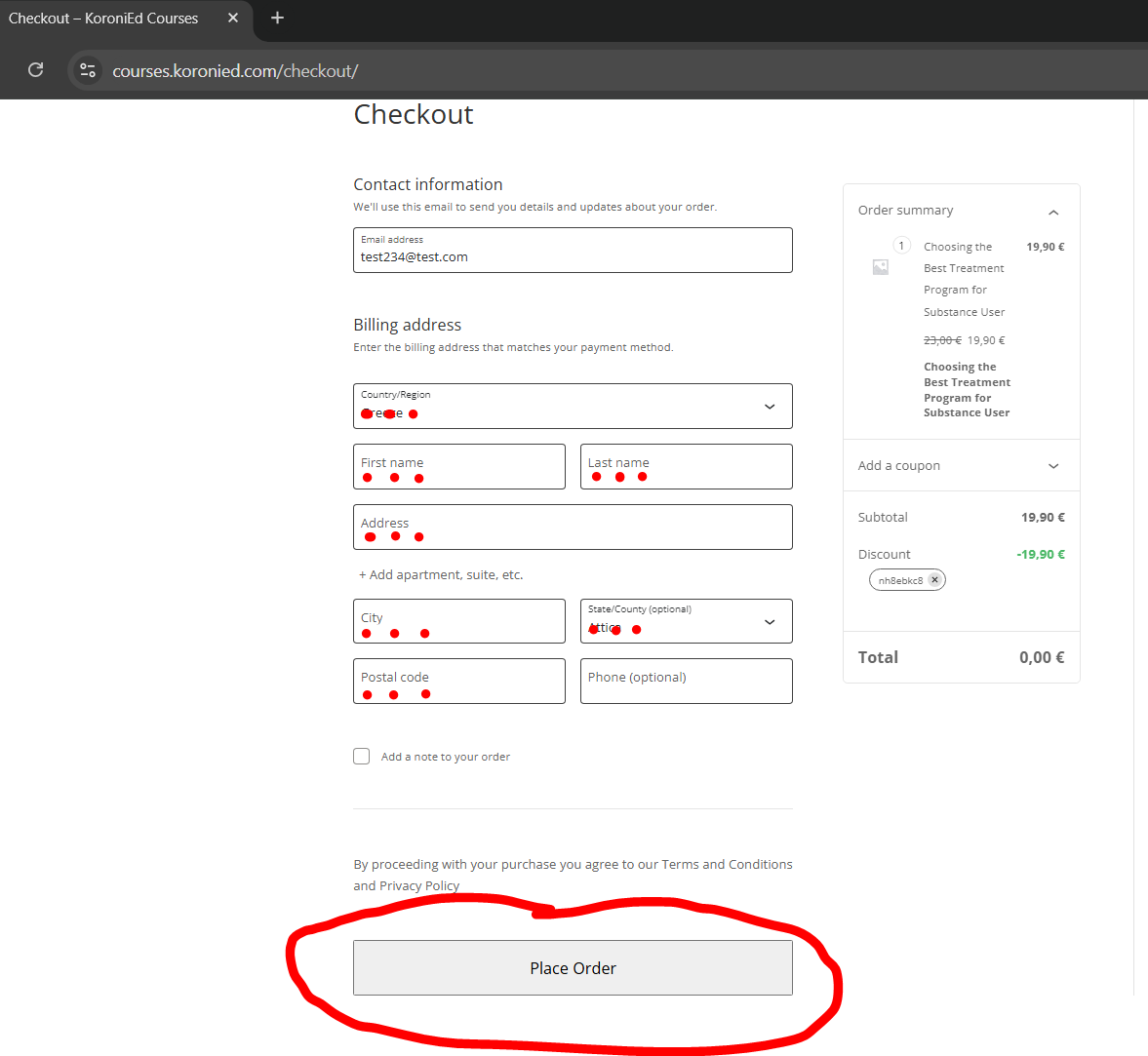
Checkout requires you to enter your billing information. Although the totals of this Checkout is 0 Euro, the system required you to enter your billing information to become our customer.
Fill in the form and click on the “Place order” button.
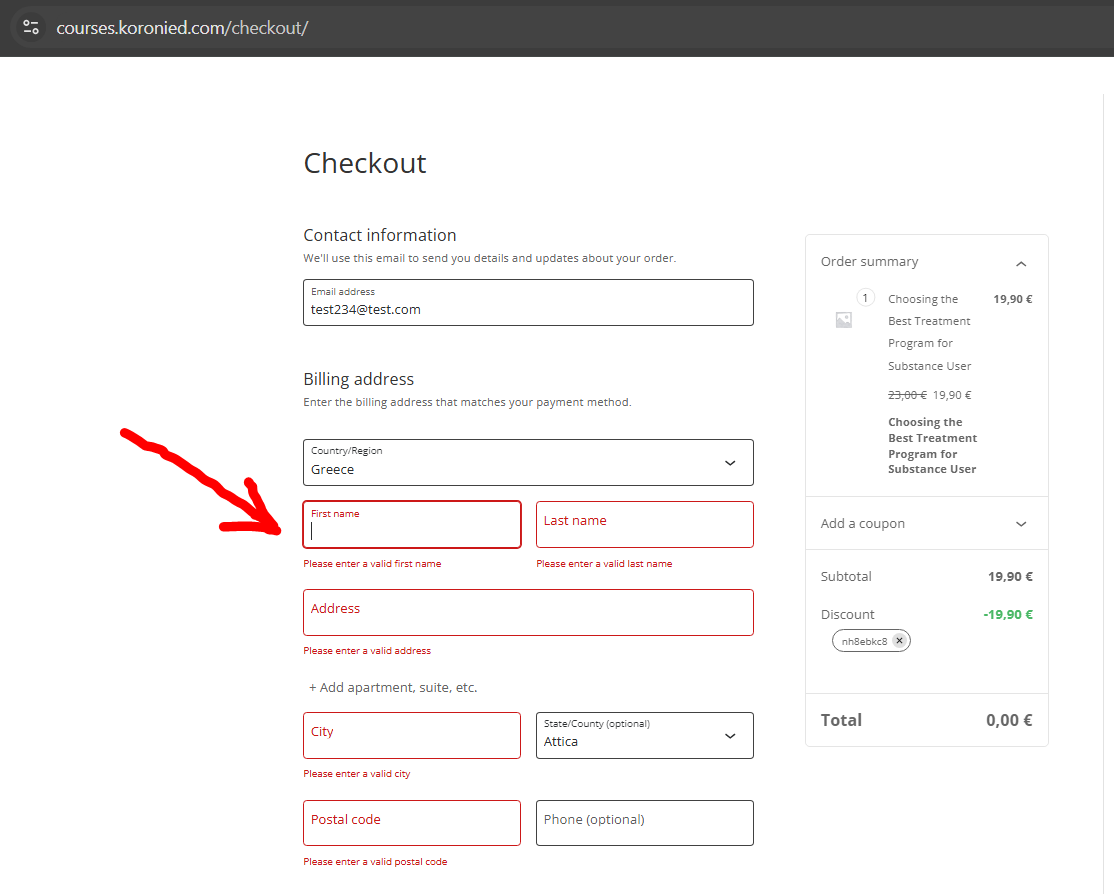
If you forgot to enter any of the mandatory fields you will be required to fill in the fields before Placing the order.
Step#7: Start Learning
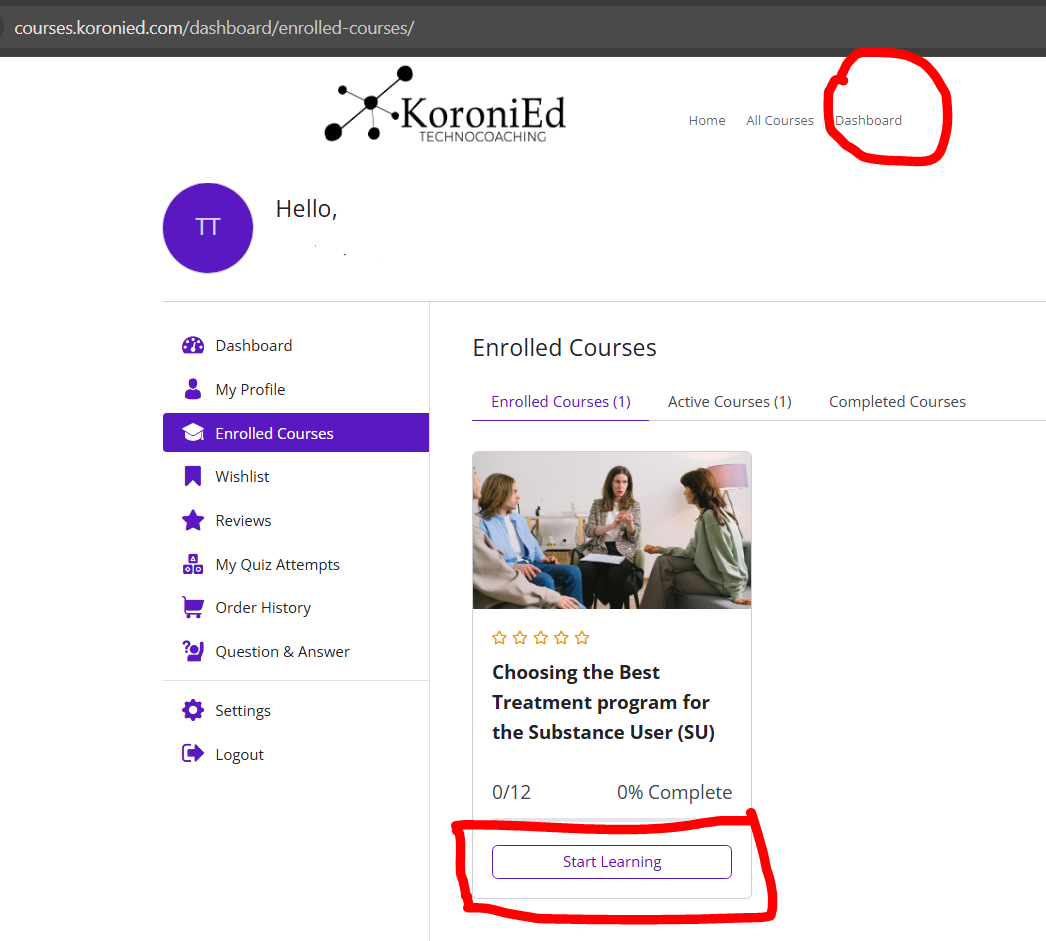
You are all set and done. You can start learning.
Your courses will be available in the Dashboard section and you will be able to access the course any time.
Access to the courses will require you to be logged in to the system.
Enjoy your learning.
Frequently Asked Questions
Frequently Asked Questions
What is Coupon
Coupon is a short 6-9 digit code that can be used during the checkout process when you purchase the products, like books, downloadables and courses. The coupon reduces the price of the product according to the coupon value.
What is the Coupon Value
Each coupon has value that is either fixed number or the percentage. It means that when you will apply the coupon, the price of the product will be either reduced to a specified amount (for example: 5Euro) or it will give a discount in percentage from the initial product price (for example: 20%).
What is the maximum Coupon Value
The coupon value can be up to 100% of the product price. This means that the Coupon makes the product price 0Euro.
How can I purchase a 100% discount Coupon
If you want to assist someone in purchasing the product you may purchase a Coupon up to 100% of the current product price. In this case the Coupon will be applicable to specific products and will be limited by time period when it has to be used.